JL 3D Text Paid
Finally, Real 3D Text Typography in SketchUp.
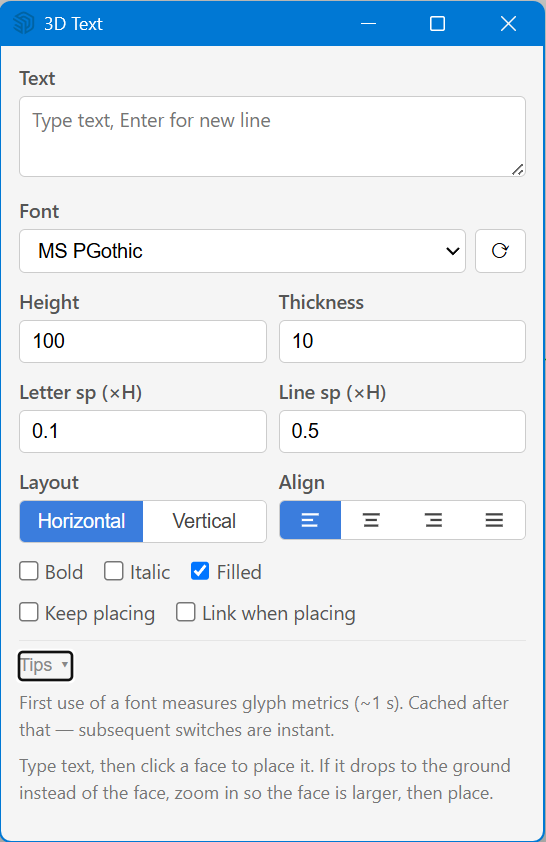
Most 3D text plugins do one thing: generate the letters. They come out cramped, English looks loose, and editing is a chore. JL 3D Text treats 3D text as a typesetting job instead.
What it does
- Proportional widthsEvery Latin letter sits at its true glyph width — narrow i, wide W — instead of a fixed monospace cell.
- Built-in kerningCommon pairs like AV, Ta, To, T. tighten automatically, so English reads like it was typeset, not spaced out.
- Smarter justificationFilling a line widens the spaces between words first, rather than stretching the letters apart.
- Letter & line spacingBoth are a ratio of cap height — change the height and spacing scales with it; drag a slider for live preview.
- Text-box auto-wrapSet a box width and long text wraps at the edge; left / center / right / justify.
- Horizontal & verticalRows are vertically centered; vertical stacks CJK per character and rotates runs of English and numbers 90°.
- Select to edit, updates in placeOne toolbar icon, panel always open. Select text you've already made and the panel fills in its settings — change the text, height or spacing and the object updates in place. No delete-and-redo.
- Output as componentsReal SketchUp components (countable, reusable) with bold, italic, fill and extrusion; placed against faces with automatic snapping to walls, ceilings and slopes.
Price & licence
Loading… one-time
One-time purchase, not a subscription. Includes minor-version updates. Use on up to 2 computers you personally use.
Checkout is handled by Paddle.com as Merchant of Record. VAT or sales tax for your country is added at checkout. refunds within 14 days.
30-day free trial
Try the full plugin for 30 days before deciding. No payment details needed to start the trial.
Loading localized price…
Installing
In SketchUp: Extensions → Extension Manager → Install Extension, then pick the .rbz file. Restart SketchUp if the toolbar/menu does not appear.
FAQ
- Can I edit text I already made?
- Yes — select it, the panel fills in, edit in place. One icon, done.
- What exactly is optimized for English?
- Proportional widths, kerning and smarter justification, so English no longer looks loose and mechanical.
- Vertical Chinese?
- Yes — CJK stacks per character; embedded English and numbers rotate 90° as a run.
- Components or groups?
- Components — countable and reusable, with bold, italic, fill and thickness.